OnboardFlow

Product Onboarding wins every prioritization argument.

Loses every sprint.

A Figma plugin that turns static screens into fully interactive onboarding walkthrough prototypes - spotlight cutouts, tooltips, and wired navigation - in one click.

Outcome


Figma Plugin


Figma Plugin

Role

Product Designer & Developer

Product Strategy + Design

Summer

Summer 2026

Summer 2026

Status

Published on Figma Community

Published on Figma Community

Onboarding is one of the most impactful things you can design. Structured tooltip walkthroughs increase user retention by up to 50%. Without them, 98% of users churn within two weeks of signing up.


Every product designer knows this. And yet, onboarding consistently loses prioritization battles in sprint planning.

Not because it isn't important but because it's too expensive to prototype.

WHAT I FOUND

The real problem isn't design thinking. It's design labor.

Building a single tooltip walkthrough in Figma means:

Designing the tooltip itself

Positioning tooltips relative to each target element


Wiring prototype connections between every frame

For a 5-step, 3-screen walkthrough, that's roughly 15 frames, 60+ prototype connections, and hours of repetitive work, just to show stakeholders a concept.

The result? Designers either skip onboarding entirely or deliver static annotated mockups that don't communicate the actual experience.

THE OPPORTUNITY

What if you could generate an interactive walkthrough prototype in under a minute?

OnboardFlow is a Figma plugin that collapses the entire walkthrough prototyping process into three actions:


  • Select the elements you want to highlight

  • Write the tooltip copy for each step

  • Generate and plugin builds the full prototype

No duplicating frames. No manual wiring. No overlay arithmetic. The output is native Figma prototype frames with real interactions. Press Play and walk through it immediately.

Now MEET MARIA. Rosa's case manager. And 99 other people's too.

Every design decision we made had Maria in mind and a government budget behind her.

Avg. clients per case manager

100+
Plus support calls

Average salary for one case manager

~$53,000/year

Case managers currently on platform

500+ case managers across 12 states

0
1
2
3
4
5
6
7
8
9
0
1
2
3
4
5
6
7
8
9
0
1
2
3
4
5
6
7
8
9
0
1
2
3
4
5
6
7
8
9
0
1
2
3
4
5
6
7
8
9
0
1
2
3
4
5
6
7
8
9
0
1
2
3
4
5
6
7
8
9
0
1
2
3
4
5
6
7
8
9
0
1
2
3
4
5
6
7
8
9
+

Fewer inbound support calls from job seekers asking what to do next

400

%

300

%

Reduction in operational staffing costs for case manager teams

3x

Growth in job seekers a single case manager can support simultaneously

Increase in self-served job applications without case manager involvement

250

%

WHAT CHANGES

From dependency to guided autonomy — These are the numbers we're targeting.

From dependency to guided autonomy

Want to know the trade-offs?

Every constraint, every stakeholder conflict, every decision that didn't make it into the final design — I'm happy to walk through all of it. Reach out.

DESIGN CHALLENGES

Building a plugin that feels like a design tool,

not a code tool

The technical capability was straightforward: Figma's Plugin API can create frames, clone nodes, and wire prototype connections programmatically. The design challenge was making this feel intuitive for designers who've never touched a plugin before. I identified four core UX challenges:

Which screen does this element belong to?


Figma's selection API doesn't scope to frames. When a designer clicks an element, the plugin has no built-in way to know which screen it lives on.

Dark tooltip on dark background = invisible.

A single color scheme can't work everywhere. The plugin needs to detect what's behind each tooltip and adapt.

Onboarding doesn't live on one screen.


Real flows cross screens — Dashboard → Settings → Profile. Steps need global ordering and cross-screen prototype wiring.

Designers don't trust locked layers.

If the output is flattened or grouped, nobody will use it. Every generated element needs to be a real, named, movable Figma layer.
The reality behind the workflows

Who is this really for?

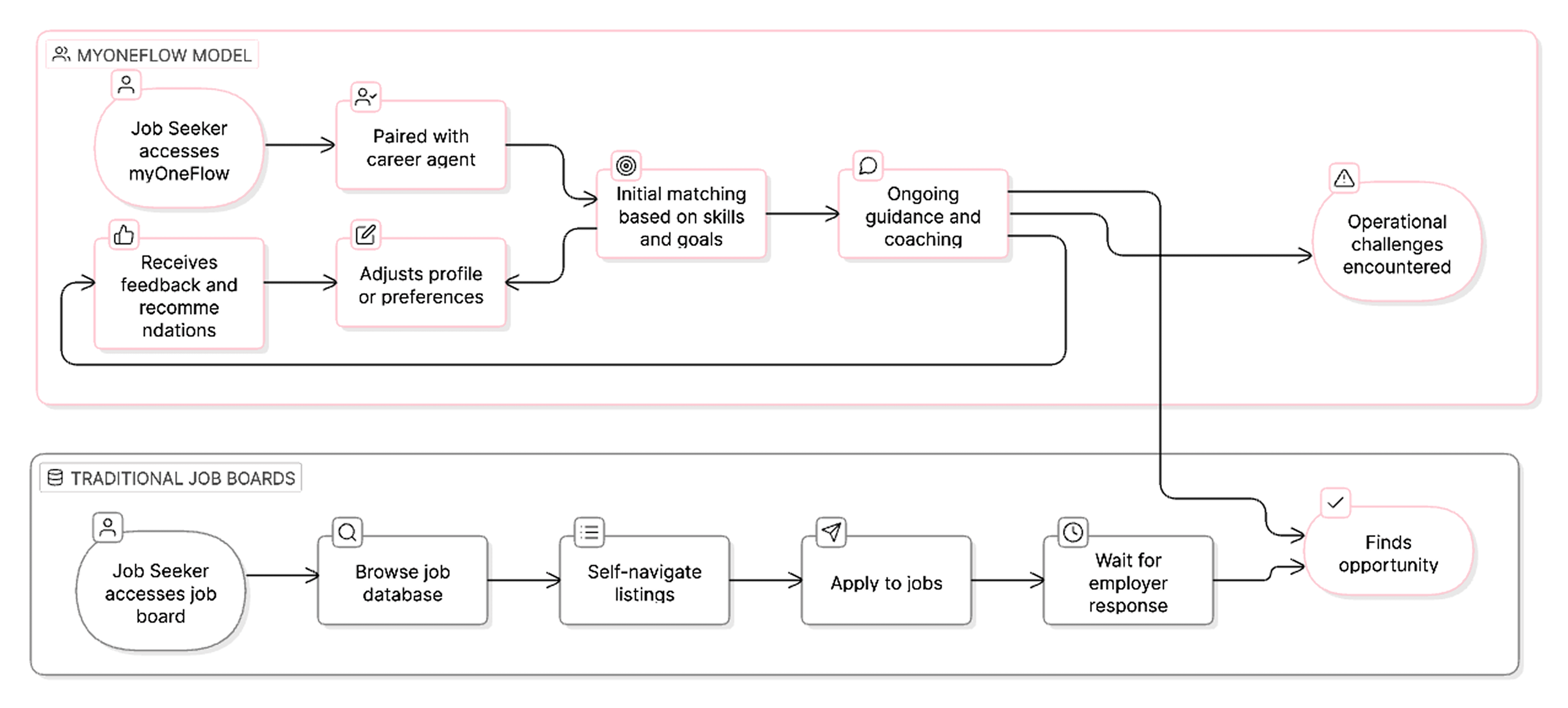
To understand what was breaking, we first needed to understand who was using the system and under what conditions.

Before redesigning anything, we needed to understand who was actually using this and what their day looked like.

THE PLATFORM'S BIG IDEA

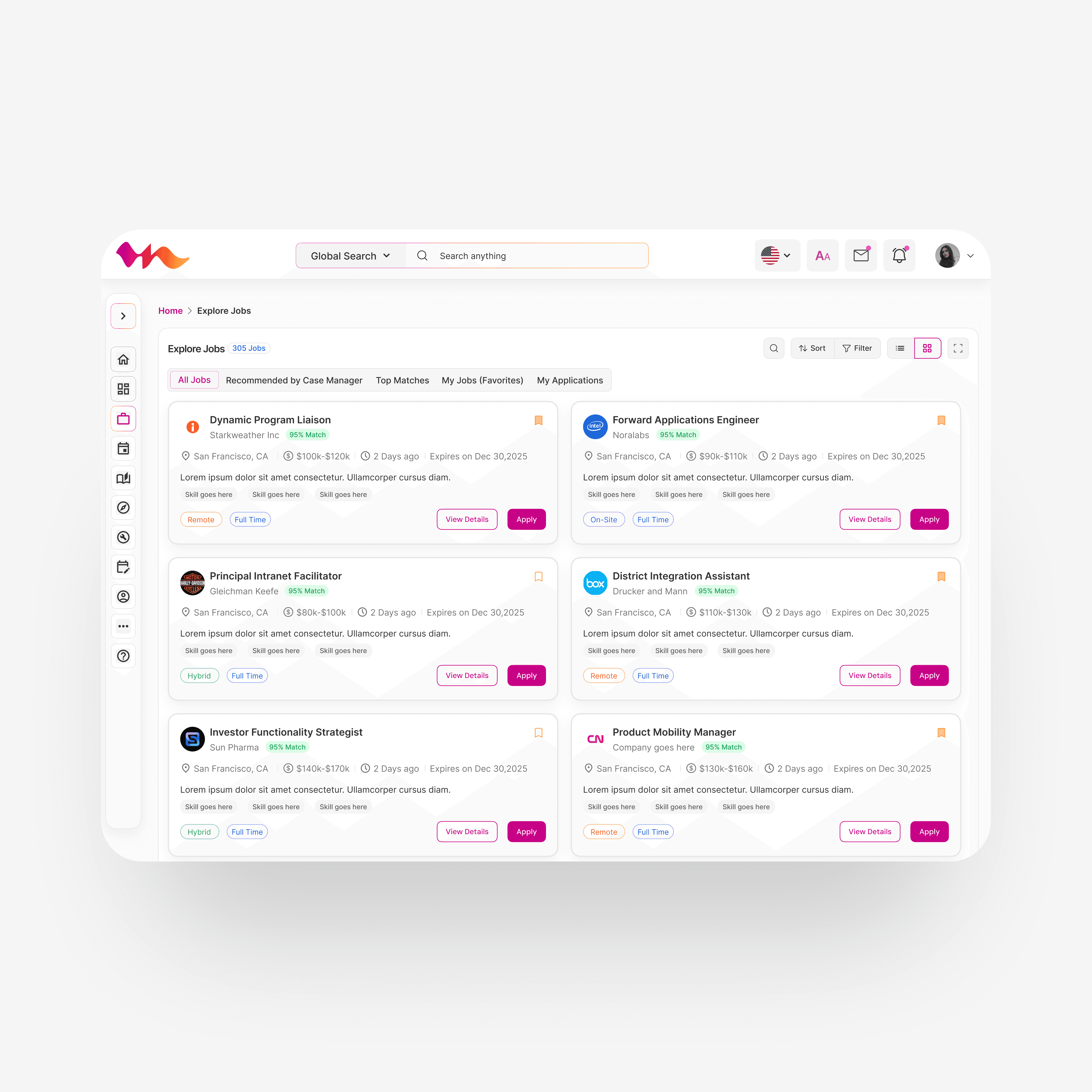
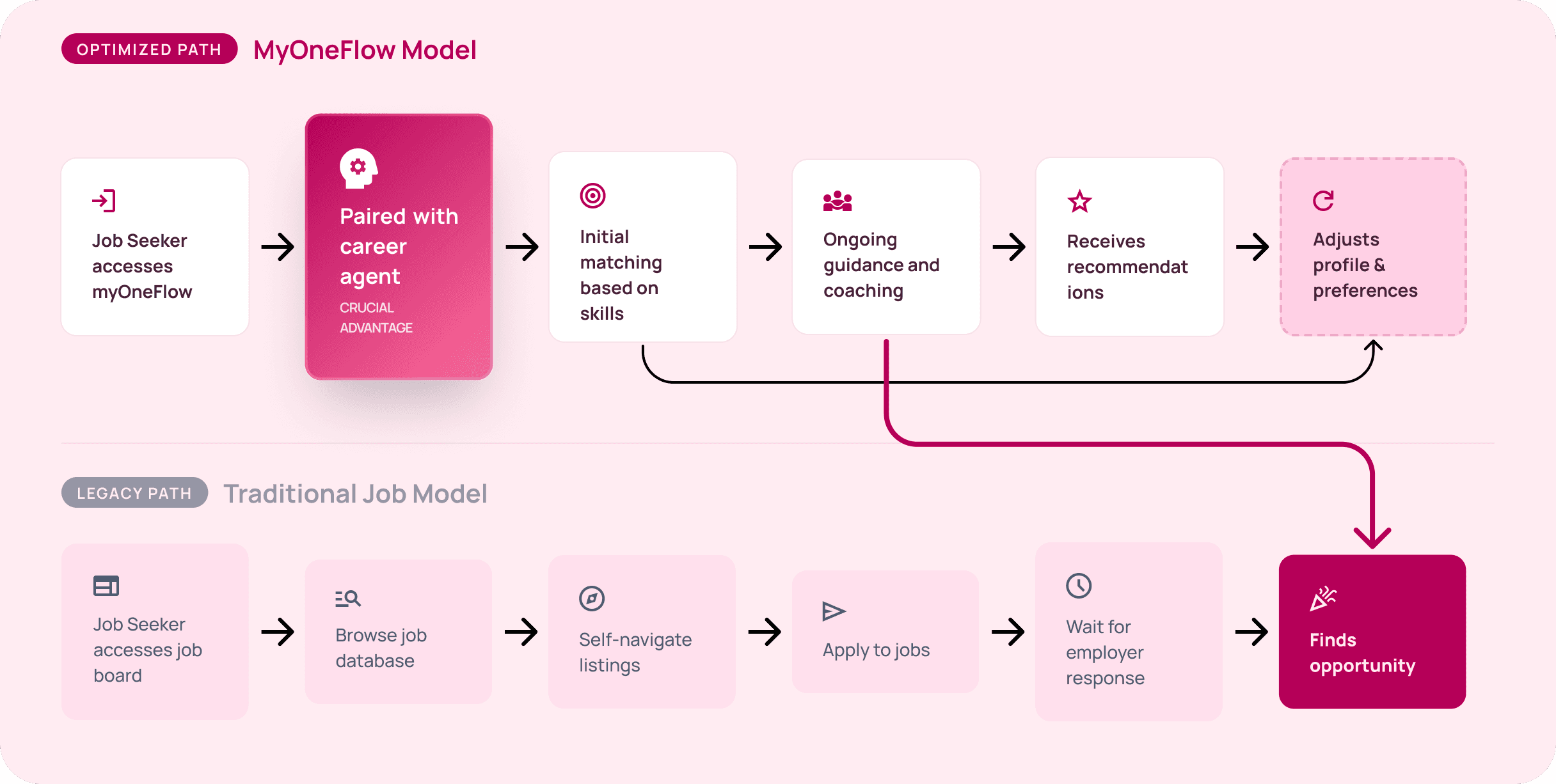
Think of it like having a career agent — not just a job board.


LinkedIn and Indeed hand you a database and leave the rest to you.

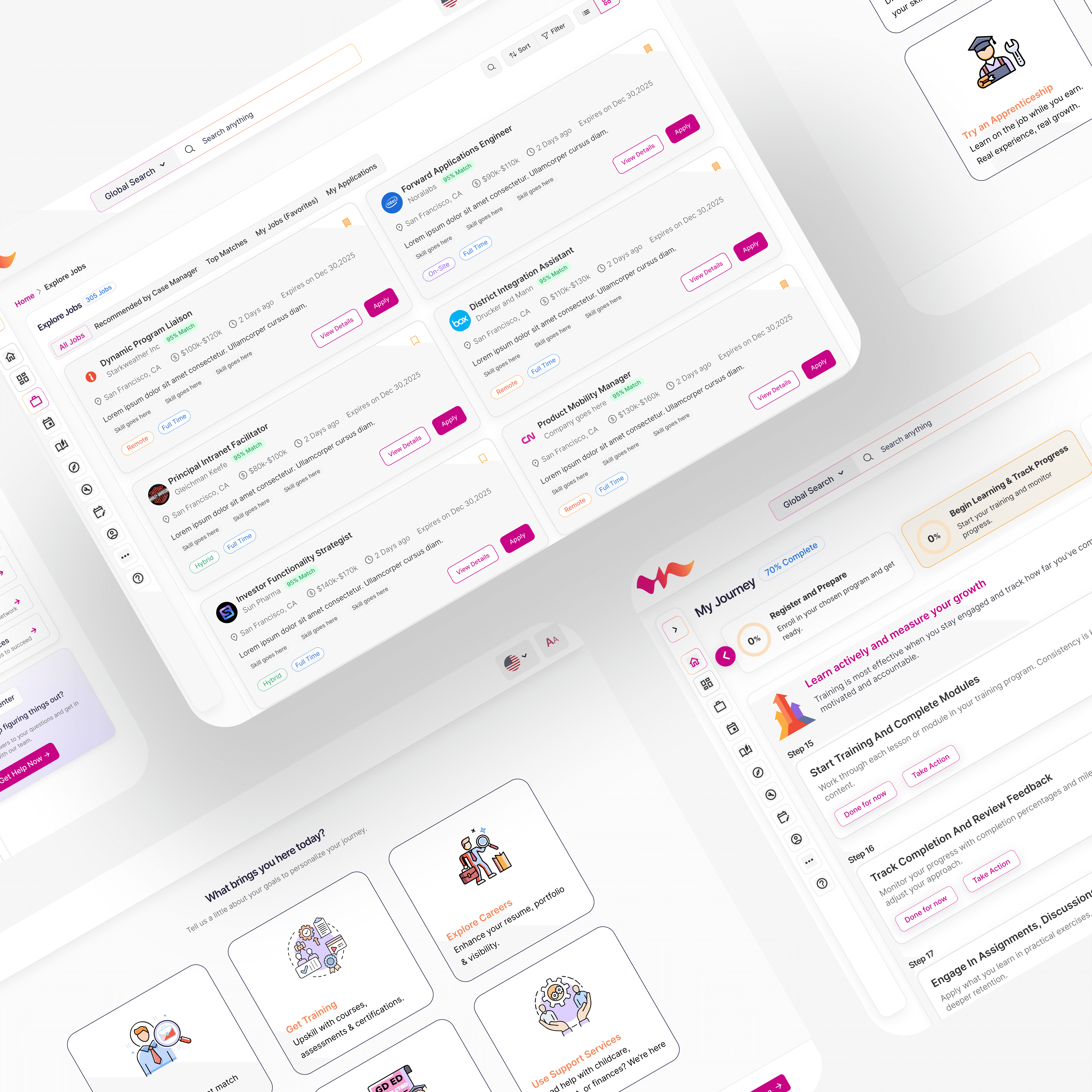
myOneFlow is different. It pairs job seekers with case managers who act like career agents, guiding them toward opportunities that match their skills, training history, and long-term goals.


Much like how actors rely on agents to connect them with auditions and roles, case managers guide job seekers toward opportunities that match their skills, training programs, and long-term career goals.

The business logic is brilliant. The operational reality? It is quietly breaking.

Four interventions,
each mapped to a challenge

PROBLEM 1

Screen-scoped selection

DESIGN DECISION 1

Select your screen first, then pick elements inside it

Every element selection is scoped to the active screen. No cross-frame confusion.

PROBLEM 2

Auto-contrast tooltips

DESIGN DECISION 2

Detect background luminance and flip tooltip colors automatically

Light background → dark tooltip. Dark background → light tooltip. Always readable by default.

PROBLEM 3

Unified cross-screen generation

DESIGN DECISION 3

One walkthrough, multiple screens, fully wired.

Steps are ordered globally. The plugin generates one frame per step, clones the correct screen as background, and wires all navigation including cross-screen transitions.

THE OUTCOME

Published to Figma Community

OnboardFlow is live on the Figma Community as a free plugin. Early usage shows:

60x

faster than manual prototyping

3


actions to generate a full walkthrough

0


manual prototype connections needed

KEY TAKEAWAY

The biggest insight from this project wasn't about building a plugin.

It was about understanding what designers actually skip and why.

Onboarding isn't deprioritized because teams don't believe in it. It's deprioritized because the cost of prototyping it is disproportionate to every other design task in a sprint.

OnboardFlow doesn't change what designers do. It removes the reason they don't.
WHAT WE FOUND

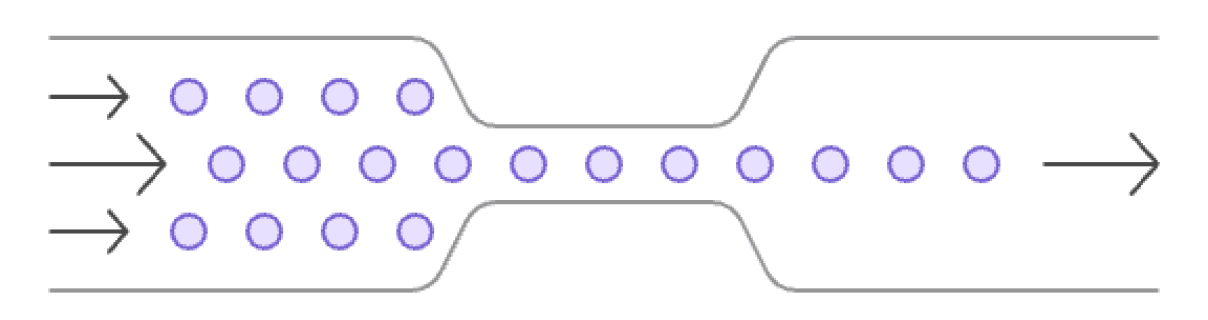
The "agents" became the entire system.
And the system couldn't scale.

After auditing workflows and interviewing stakeholders across job seekers, case managers, and employers, we identified four structural cracks in the foundation.

Client Management

Case Manager

One person. Every decision. No way to scale.

Job Matching & Applications

Communication & Coordination

Jobs unfilled

Employers waiting.

Job seekers stuck.

My responsibility as the product designer was to ensure the product experience could support this necessary shift in operational strategy.

To accomplish this, we introduced 4 key design interventions, each directly addressing one of the operational flaws.

My responsibility as the product designer was to ensure the product experience could support this necessary shift in operational strategy.

My responsibility as the product designer was to ensure the product experience could support this necessary shift in operational strategy.

Flaw 01

Job seekers couldn't self-serve

  • Every action — from browsing jobs to applying — required case manager involvement. Rosa couldn't do anything without waiting for Maria.

Flaw 01

Job seekers couldn't self-serve

  • Every action — from browsing jobs to applying — required case manager involvement. Zero self-serve.

Flaw 02

Case managers were maxed out

  • Approvals, follow-ups, manual recommendations — one case manager handling 60 clients, one task at a time. The ceiling was low.

Flaw 03

Job matching was 100% manual

  • No system intelligence. Every match was a human judgment call, every recommendation a one-off task. Slow and impossible to scale.

Flaw 03

Job matching was 100% manual

  • No system intelligence. Every match was a human judgment call, every recommendation a one-off task. No consistency, no speed, no scale.

Flaw 04

Employers were losing confidence

  • Open roles stayed unfilled for too long. Employers stopped trusting the platform to deliver candidates. Churn was growing quietly.

At some point I stopped asking 'how do we make this easier to use' and started asking 'why does this require so much human effort in the first place.' That question changed everything about how I approached the redesign.

Behind the scenes

This was my first time building a Figma plugin from scratch - React, TypeScript, Vite, and the Figma Plugin API. The project involved navigating undocumented API behaviors (like documentAccess: "dynamic-page" requiring all node lookups to be async), designing a two-tab plugin UI that fits in a 320px panel, and making cross-screen prototype wiring work reliably.


The story above focuses on the design decisions. If you're interested in the technical architecture, the constraints I navigated, or the iterations that didn't make it, feel free to reach out.